When I open the tracker site any Valorant profile I look at is displayed incorrectly with the formatting being messed up. Everything is displayed on top of each other
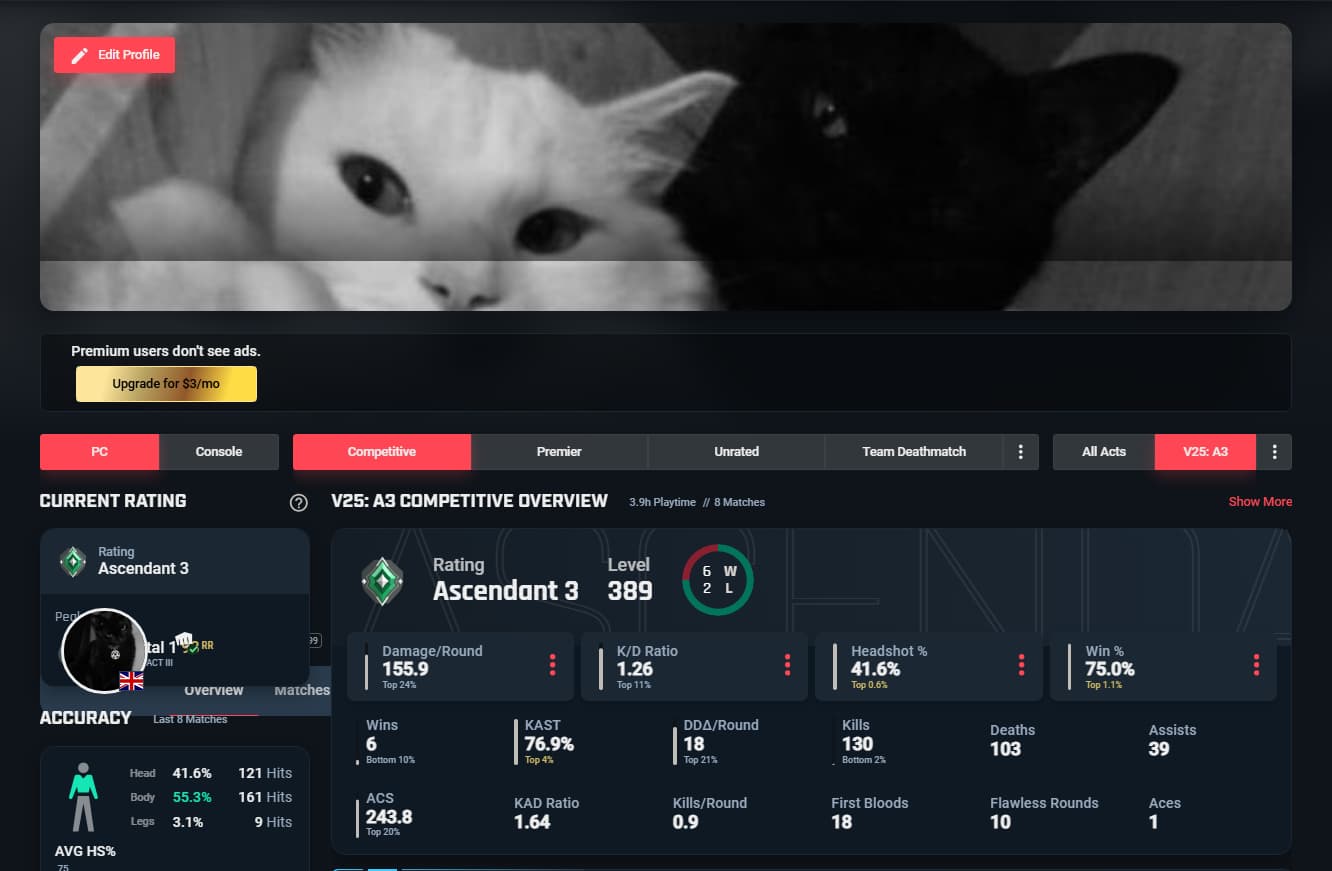
Hi @bwnko
Are you still experiencing this issue? We had a minor server issue yesterday which could have been the cause.
If you are still experiencing this issue can you please let me know what browser you’re using?
I’m also having this issue. It has been happening for at least a week and yes, is still happening.
I’ve tried clearing cookies/cache with no success.
It does not happen on the other browsers I’ve tried (Brave), only on Chrome (latest version). The mobile version of Chrome also works normally.
It doesn’t happen for other games (I tried rivals), just Valorant.
It happens when I’m logged in and not logged in.
If I go to a page where I can see the full bar, I cannot click on it in it’s bugged location. I also cannot click on it in its normal location.
It happens on the overview page, weapons page, and all other pages I can get to through other means.
Javascript and third-party cookies are both enabled, no settings have changed between when it worked and now.
Let me know if you need any additional info.
I did a bit more troubleshooting:
It does not happen when the browser window is not maximized or fullscreen. If I bring up the inspect element window, it also works normally. It looks like whenever the width is over 1600, it breaks, as you can see in the screenshots (look at the resolution in the top right corner).It is not affected by height.
I’ll give another update once I’ve dissected the html.
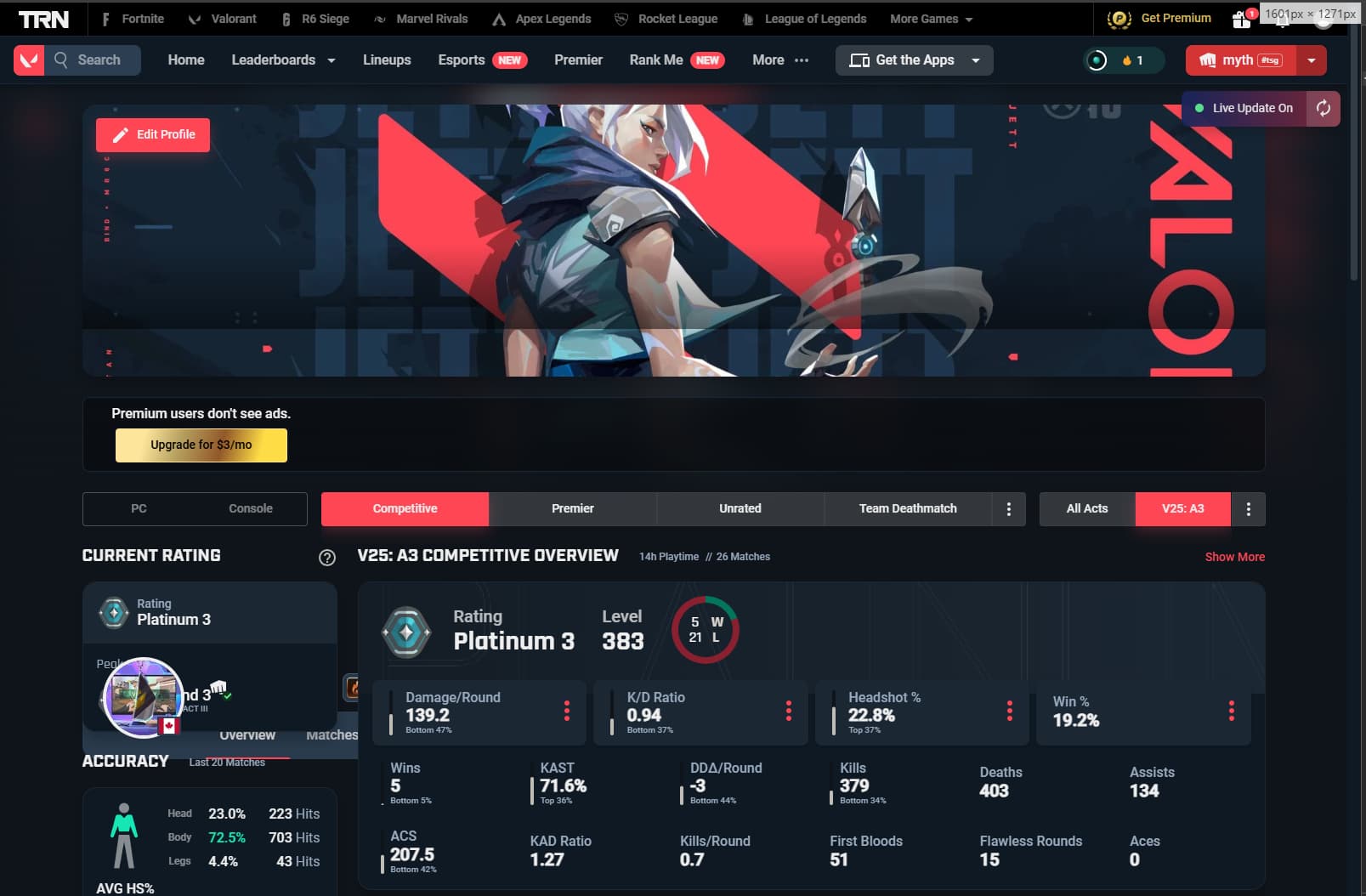
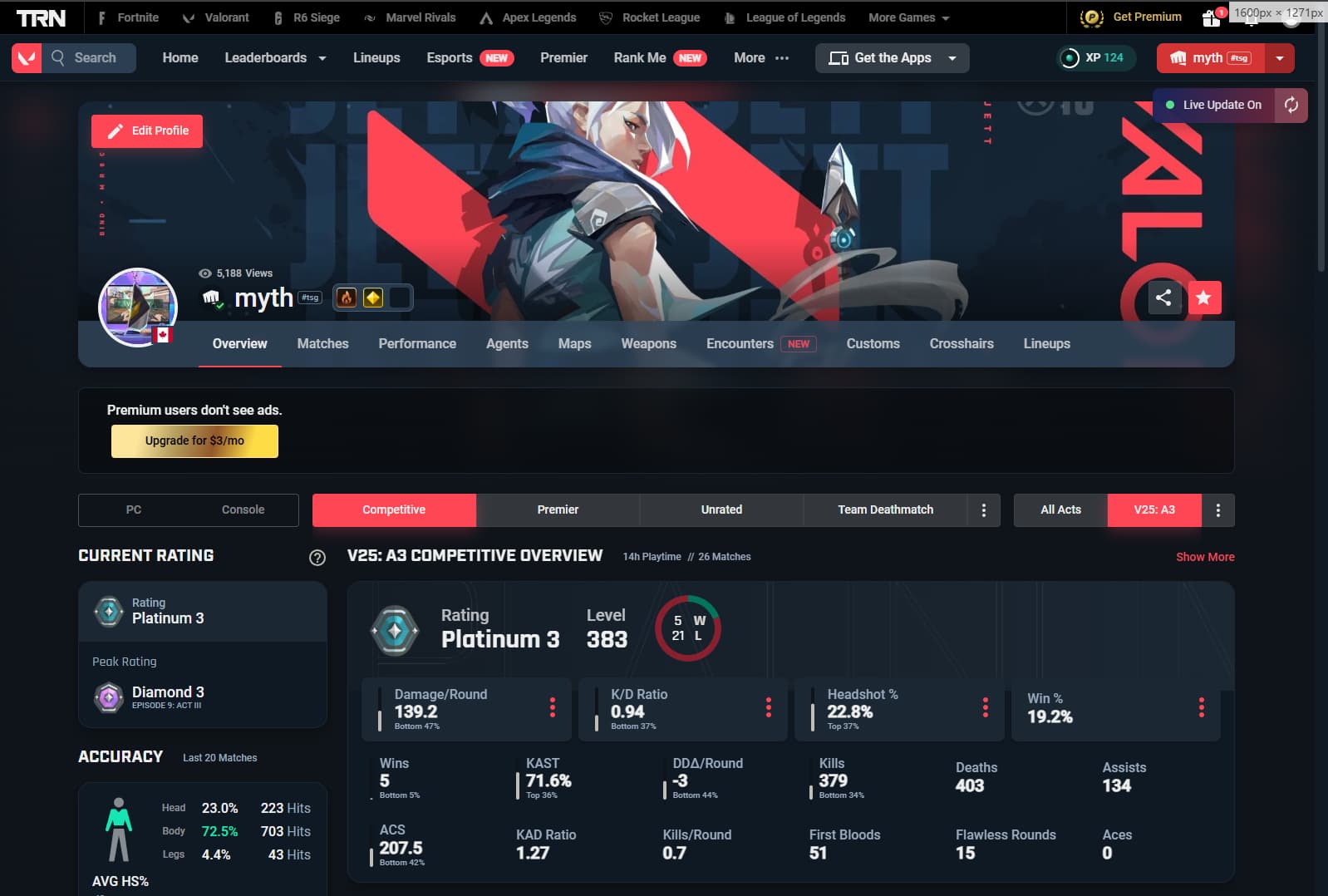
(I couldn’t put both in one message)
Update (I can’t write another message):
It appears to be caused by an ad injecting. At 1600px, this:
< div data-v-ef3c86ac=“” data-v-7e5855c5=“” class=“side-ad”>< div data-v-4350d7da=“” data-v-ef3c86ac=“” class=“size-banner”>< div data-v-4350d7da=“” class=“mt-10” style=“min-width: 160px; min-height: 600px; display: block; width: 160px; height: 600px;”>< a data-v-4350d7da=“” href=“https://tracker.gg/premium” target=“_blank”>< !---->< !---->< /a>< /div>< !---->< /div>< /div>
is added into the flex header (without the spaces after the <, it wouldn’t display unless I added them). Because the nav bar is set in a flex column, this pushes it down by the size of the ad container.
Because it’s labeled “side-ad” I assume it is intended to go on the side of the main content section, and is injecting wrong. It’s worth noting that this happens with and without an adblocker enabled. I can’t upload a screenshot of it, as it won’t let me upload more than one attachment.
Sorry if my explenation isn’t great, I’m not super experienced with html/web dev.
Last note: I tried to trace the call stack for where the ad is injected, but I couldn’t find it. I’m sure one of your web devs will be able to find it pretty quickly, but I just don’t know enough js/vue to figure it out myself, nor do I have access to anything serverside. The only useful info I can offer is that it appears to be injected from this file: https://trackercdn.com/static-files/trackergg/production/dist/client/assets/index-C-JIGWAo.js
Hope this helps get this bug fixed asap!
PS: Don’t mind my win rate ;-;
I fixed the issue by changing my adblock filtering to maximum, @ mythcql appears to have looked into it in detail and found the issue, a few people I know have had the same issue for around a week or two.
From what I’ve seen, this issue started popping up after a poor quality ad-blocking extension pushed an update of their own.
We recommend disabling the ad-block, or using a better one (but please disable it on our site  )
)